
NetDetour for macOS - CLI Edition
NetDetour for macOS provides the full core functionality of the Windows version. It allows you to route application network connections through proxy servers according to configurable rules, with support for proxy chains and SSH tunnels.
The macOS Command Line Edition has no graphical user interface for configuring or monitoring NetDetour. Configuration, status queries, connection monitoring, and other operations are performed using the ndtadmin command-line tool.
The CLI Edition is intended primarily for advanced users and system administrators who are comfortable working in Terminal. However, you can also create configuration files for macOS using the Windows version of NetDetour and apply them on macOS.
Installation
- Download and open the DMG disk image.
- In the window that opens, drag the NetDetour application to the /Applications shortcut.
- Once copying is complete, launch /Applications/NetDetour.app to complete the setup. NetDetour will detect that setup is incomplete and display instructions. Follow the instructions to finish setup.
- After setup is complete, open Terminal and use the installed ndtadmin command-line tool to configure and control NetDetour. See the command-line tool documentation below for available operations.
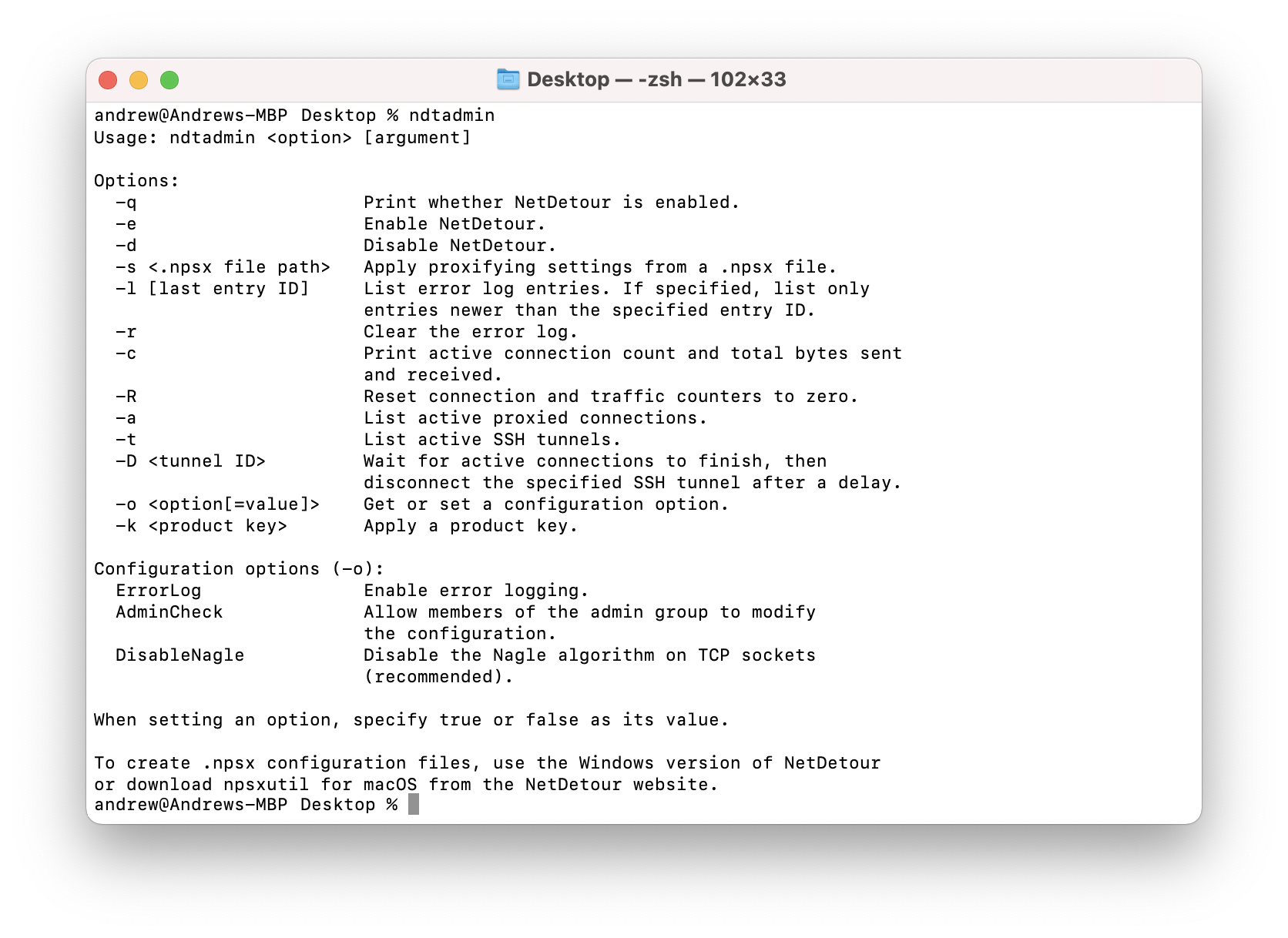
The ndtadmin command-line tool is used to configure and control NetDetour and retrieve its status and diagnostic information.
Its operations include:
- Enabling or disabling NetDetour.
- Applying proxifying settings from an XML-based .npsx configuration file.
- Querying NetDetour status and configuration options.
- Listing active proxied connections and SSH tunnels.
- Retrieving and clearing error log entries.
- Viewing and resetting connection and traffic counters.
Run ndtadmin from Terminal to view its command-line syntax and available options.
The macOS version of npsxutil provides useful tools for working with .npsx configuration files, along with the NPSX XML format specification. Alternatively, you can use the GUI in NetDetour for Windows v1.16 or later to create configurations for macOS; this version supports Unix-style file paths.
The separate npsxutil command-line utility can perform operations on .npsx files, including:
- Encrypting proxy authentication credentials, including passwords and authentication keys.
- Importing SSH authentication keys from OpenSSH private-key files.
- Importing SSH host keys from OpenSSH public-key files.
The package also includes the NPSX XML format specification and a sample configuration file.
Download npsxutil for macOSFrequently asked questions
- How can I purchase a license for NetDetour for macOS?
The macOS version uses the regular NetDetour license types. You can purchase a personal license on the NetDetour online order page.
- I already have a Windows license. Can I use it on macOS?
Yes, provided your license covers the total number of computers on which you install NetDetour. For example, if you have a license for one computer and are already using it on Windows, you will need to purchase an additional license to use NetDetour on a Mac as well.
- When will a GUI version for macOS be available?
We are working on a graphical version for macOS. We cannot yet provide a release date.
- I created a rule for Safari, but it doesn't work.
Safari may establish network connections using an executable located on a macOS Preboot volume rather than /Applications/Safari.app. In this case, a rule matching the application bundle path (
folderPath) may not match the executable. Try creating the rule using the executable's file name (fileName) instead. - Which versions of macOS are supported?
NetDetour for macOS requires macOS 11 (Big Sur) or later.